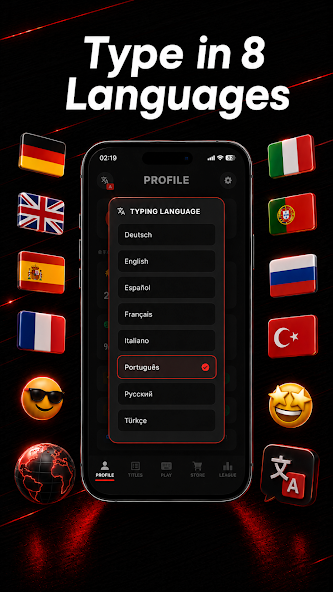
Pick one of eight languages. The interface language and the words you type can be different.
Type all 20 words
The timer starts with your first character. Correct the highlighted word, then press Space or Enter. Backspace fixes mistakes; Escape starts a new test.
Save your result
When you finish, you’ll see your speed and accuracy. Enter a username and save your result if you’d like to join the leaderboard.
What does WPM mean?
WPM means words per minute. Since words vary in length, the test counts every five characters, including spaces, as one word. The time you spend correcting mistakes also counts towards your result.
Your speed can vary from test to test. Try a few rounds and compare your results. Using the same language and keyboard makes it easier to track your progress.
Understand your score and build a practice routine
A short test is a snapshot of one attempt. Read speed and accuracy together, and compare several rounds under similar conditions.
How the score is calculated
WPM = (characters ÷ 5) ÷ minutes. At the end of a round, Typing Rivals counts the letters in the 20 target words plus the 19 spaces between them. For example, 125 characters in 30 seconds gives (125 ÷ 5) ÷ 0.5 = 50 WPM. The timer runs from your first character until you submit the final word; pauses and corrections use time too.
A 20-word round is not a one-minute test: its duration depends on your speed and the selected words. The server validates leaderboard results, so the final speed can differ slightly from the live estimate. This is a practice score, not a typing certificate or a direct comparison with every other test.
Why corrected mistakes still affect accuracy
Accuracy measures correct character entries as a share of all character entries. For example, 100 entries including five incorrect entries give 95% accuracy. Backspace removes text, but does not erase the earlier mistake from the score. Continuing after a wrong character can count further entries as incorrect until the word is fixed.
You must correct a word before moving on with Space or Enter. Uppercase letters are accepted, and the test supports some keyboard equivalents, such as é/e and ü/u. The displayed word keeps its original spelling; this makes the score a measure of this test’s matching rules, not a spelling assessment.
A simple three-round routine
First, take one unhurried round and note both WPM and accuracy. In the second round, slow down at the letter combinations that caused mistakes instead of rushing to recover lost time. Finish with a comfortable, steady round. Record all three results in your own notes rather than keeping only the fastest attempt.
Keep the word language, keyboard and device the same when comparing sessions. Random words and their lengths change, so a small score difference need not mean progress or decline. The 24-hour leaderboard is for recent results, not a permanent practice history. Try to make accurate rounds more consistent before chasing a higher peak speed.
When a round or saved score does not work
Click or tap the typing field if your keys are not entering words. Fix the highlighted word before pressing Space or Enter. Escape starts a new round and discards the current attempt. A round expires after five minutes; start again if you took a long break.
If the connection fails, the page can offer local practice, but those results cannot be saved to the leaderboard. A failed result check may offer a retry. Check your connection and the selected word language; each language has a separate leaderboard. Saving is optional and does not require a web account.
Typing Rivals: Type Race
What’s in the app?
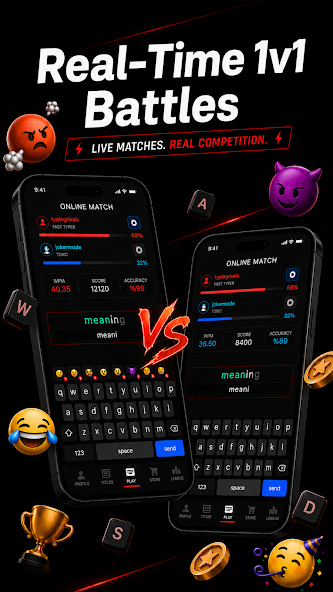
With the Typing Rivals app, you can race other players or invite your friends to play.
One-on-one races
Start typing at the same time as another player. The first to finish the words wins.
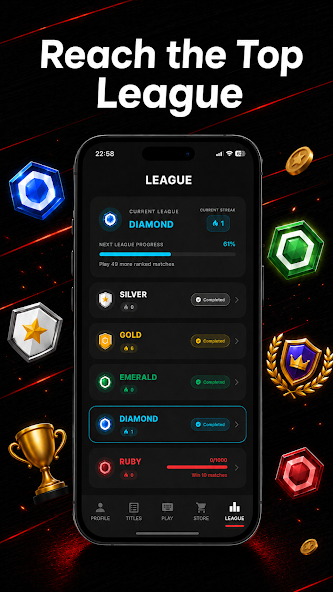
Ranked leagues
Earn rating points in ranked races and progress through the leagues.
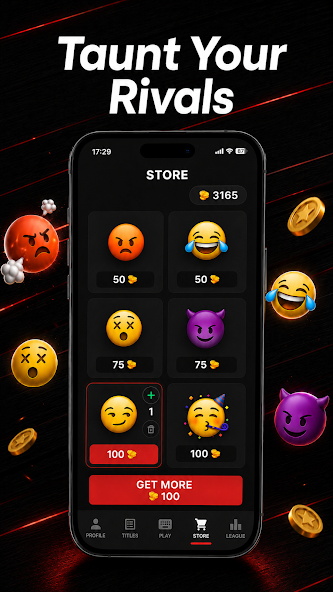
Emoji reactions
Send the other player an emoji during a race.
Type in eight languages
Play with words in English, Turkish, German, French, Spanish, Portuguese, Russian or Italian.
Your race results
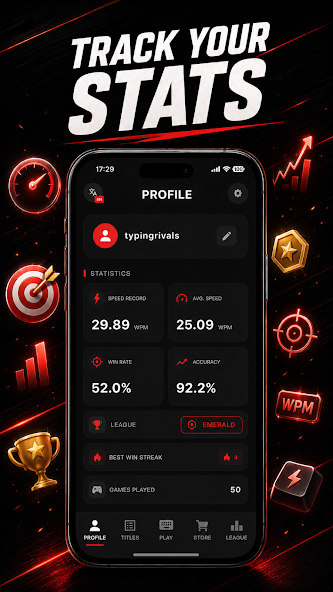
Look back at your races and compare your typing speed and accuracy.
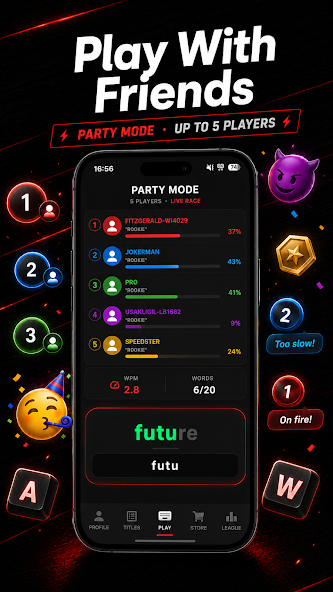
Play with friends
Invite a friend to race or set up a private room for up to five players in total.
A look inside the app
See the race screen, rooms for friends and your results.
One-on-one racesPlay with friendsRanked leaguesEmoji reactionsYour race resultsType in eight languages
Play on your phone
Download Typing Rivals for free from the App Store or Google Play.
Android · 1.2.0
New in the Android app
Version 1.2.0 adds friend challenges, parties and richer match history, with improved reconnection and faster friend search.
Android 7.0+ · Free to download · Contains ads and in-app purchases
Typing test questions
Is this typing test free?
Yes. You can practise in your browser for free and save a score with just a username. No account or app download is needed for the web test.
How does the 24-hour leaderboard work?
It is a rolling 24-hour window, not a reset at midnight. Each language has its own top 50. Only the best score for each username appears; names are not reserved and matching names share a result.
Can I race my friends?
The website is a solo speed test. For live races, download Typing Rivals: Type Race. The Android app includes 1v1 races, friends and private Party Mode lobbies for up to five players in total.
Which languages can I practise?
English, Turkish, German, French, Spanish, Portuguese, Russian and Italian. Choose the word language above the test. The site automatically suggests an interface language, which you can change at any time.
About Typing Rivals
Acetate Apps publishes Typing Rivals. This website provides a free solo typing test; the mobile app provides races with other players. The web leaderboard shows a chosen nickname, not a verified identity. Send website problems or questions to the contact address below, with your device, browser and the steps that caused the issue. Never include passwords.
 TYPING